One photo, five sentences
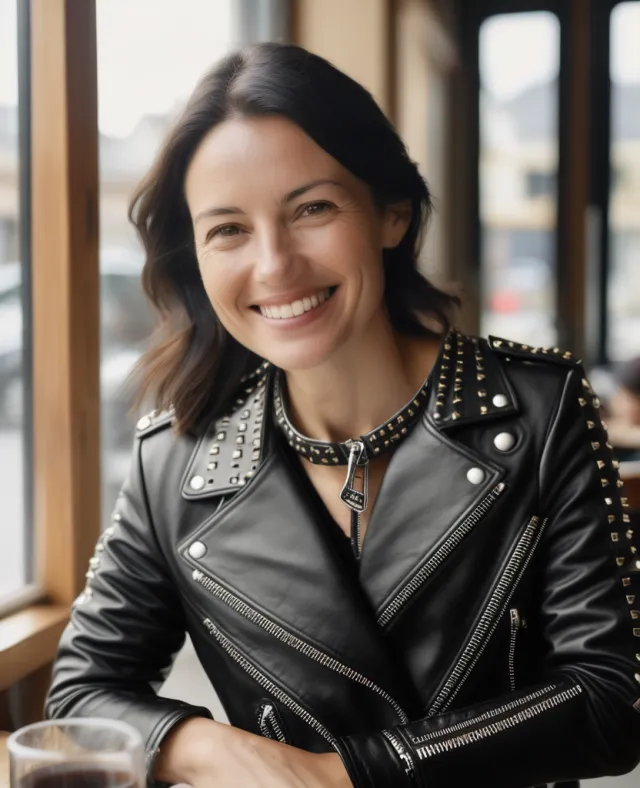
Same photo, a different look each time, from a mask to a leather harness. Each of these is a one-part edit: the editor redraws only what was asked for and keeps the rest of the picture as it was.
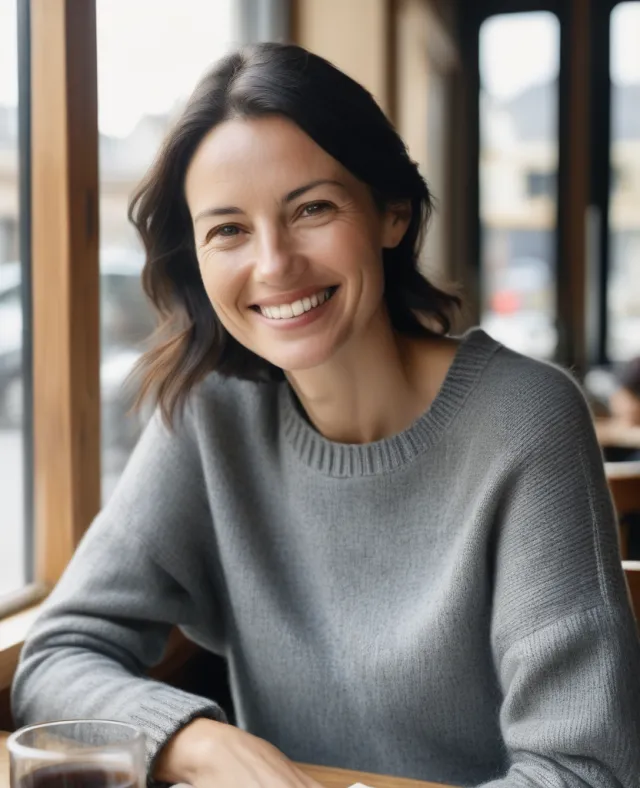 Original
 Edit one part
“Put a black leather biker jacket and a studded collar on me” Try this on your photo →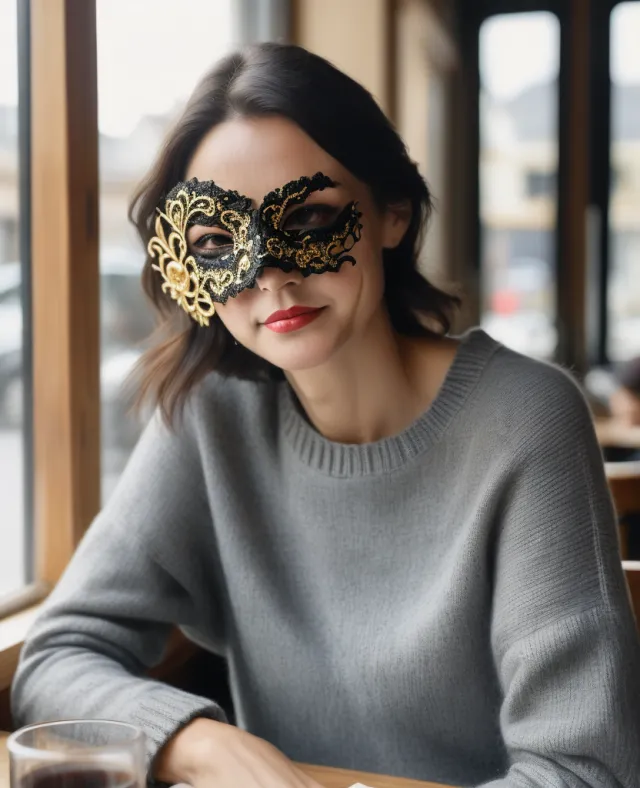 Edit one part
“Put a black lace masquerade mask over my eyes” Try this on your photo →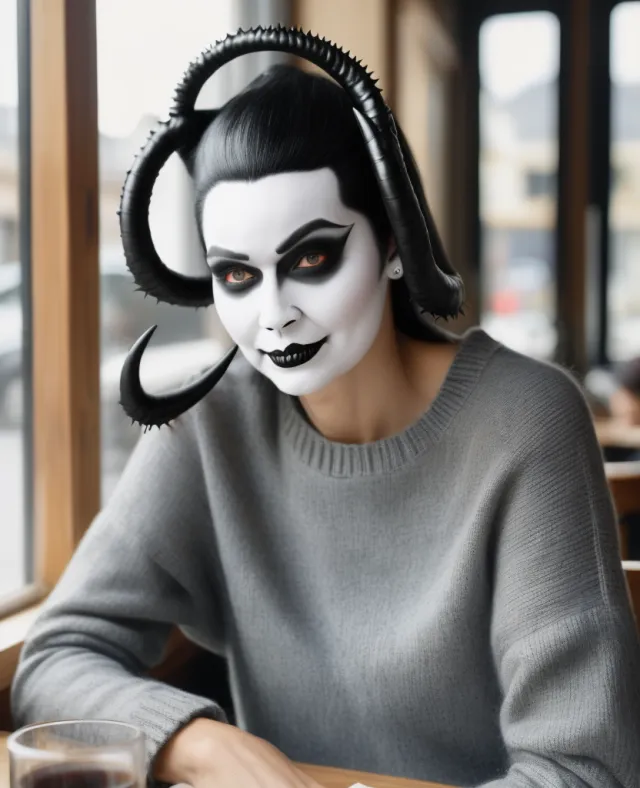 Costume
“Give me devil horns for Halloween” Try this on your photo →
Leather and rope, worn over your clothes
A harness, a collar and leash, a blindfold, a leather corset or a riding crop work on any photo you upload, and you stay dressed underneath.
Want latex, lingerie, shibari or more? Those are for the grown-up table: four steps (verify once, agree to the checks, a photo of just you, everyone clearly 25 or older) and they open up.
 Kink gear
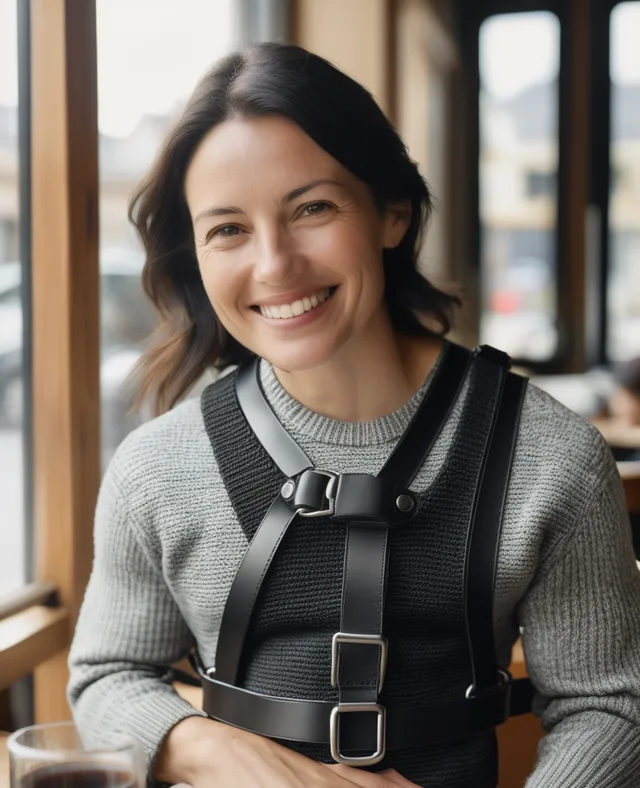
“Put a black leather chest harness over my sweater” Try this on your photo →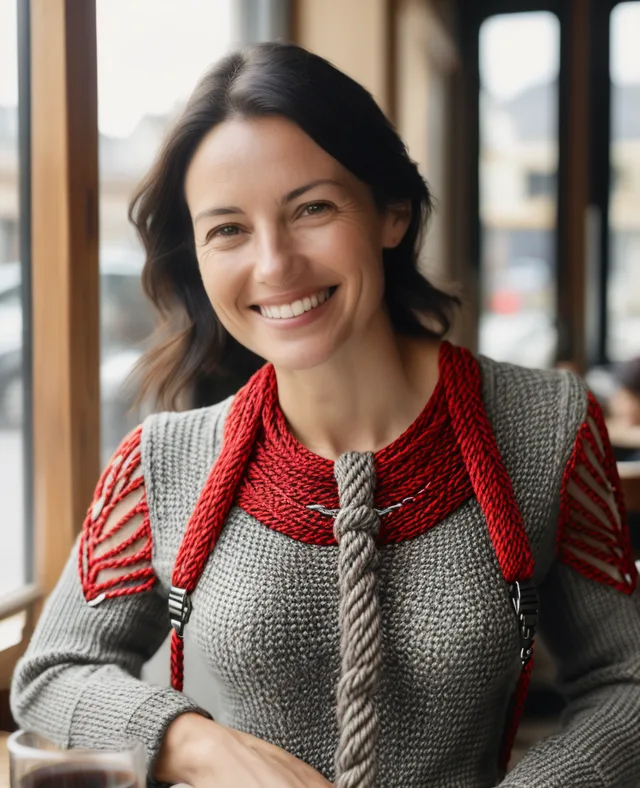 Kink gear
“Tie a red rope harness over my sweater” Try this on your photo →- Your turnYour photo, your sentence.Upload free, then type what you want to wear. 25 free edits every week.Start editing
Example made from an AI-generated portrait with the same editing engine the studio uses. Not a member's photo.
Four steps. Consent is sexy.
A plain upload is treated as a photo of a real person, so the editor keeps them dressed. The checks are what make it safe to play: pass all four and the limits lift on photos of just you.
- Verify once, free. Write the one-time code the app gives you on paper and take a selfie holding it beside your face. A person reviews it, usually within 24 hours. Approval covers your whole account.
- Say yes to the checks. One tap in the studio agrees to the face and age checks. Like a safeword, you can withdraw any time on your profile under Verified selfies.
- One face per photo. A photo with more than one person in it won't get an adult edit, because every face we find has to match your verified selfie. So one face per photo is the way to play: crop everyone else out first. The one exception is your verified selfie itself: if anyone else is in it, they are on you: agreeing to the checks means you confirm they are an adult who agreed to be in it and to be edited.
- Clearly 25 or older. An automated age check has to find everyone in the photo clearly 25 or older, which is stricter than 18 on purpose. A photo where no face can be seen is refused.
Without verification or consent, real photos still get costumes and gear worn over your clothes, style and scene edits. A refusal costs no credits. We keep no face scans, only the results, and the age check is run by an AI service provider. An edit of an edit follows the original photo’s rules.
- Leather or rope harness over your clothes
- Collar and leash, blindfold, gloves, riding crop
- Leather corset or latex jacket on top
- Masks, horns, a new scene, a restyle
- Latex corsets and catsuits
- Lingerie
- Shibari
- Adult edits of your own body
Only on photos of just you, with the checks agreed and everyone clearly 25 or older. Never anyone else, and never anything that makes a person look under 18.
Four ways to change a photo
The editor works from a photo you upload, not a blank canvas. Describe the change and it picks the right way to make it.
Edit one part
Say which part to change, like a costume, a mask or your eyes, or paint over it, and only that part is redrawn.
Costumes over your clothes
Masks, horns, wigs, capes, face paint, fake blood, a leather or latex jacket, a leather corset, a leather or rope harness, a collar and leash, worn over what you already have on.
Change the scene
Put yourself in a candlelit hall, a dungeon, falling snow or the middle of the night, described in a sentence.
Restyle the whole picture
Turn the photo into an oil painting, a film noir still or a watercolour. A restyle reworks the whole picture, so it reads as art rather than a snapshot.
Private until you share
Your upload and every edit of it stay visible only to you until you post them to the members' gallery. Delete any of them at any time.
Scanned on arrival
Every upload is scanned against the known-CSAM hash set (Microsoft PhotoDNA) the moment it lands.
What it will do, and the line it will not cross
A plain upload is treated as a real photograph of a real person. These are the rules the editor applies before a single credit is spent.
- Any photo you upload
Costume, scene and style
- Costume worn over your clothes
- Masks, horns, wigs, face paint, fake blood
- Leather or rope harnesses, collars, a leather corset or latex jacket on top
- A new background, weather or time of day
- Oil painting, film noir, watercolour restyles
- After the four steps
Adult edits of your own body
Changing clothes, latex corsets and catsuits, lingerie, shibari and other adult edits open up once a person approves your verified selfie, you agree to the face and age checks, and the photo is just you with everyone clearly 25 or older. Safe is what makes it fun.
- Never, for anyone
The hard line
- Undressing anyone else’s photo
- Making anyone look under 18
- Deepfakes of real people made without consent
On a plain upload the editor keeps you dressed as you are: it refuses to undress, expose, reshape or sexualise the person in the photo. The verified selfie and the face and age checks exist so that adult edits only open for an adult who has shown a human reviewer who they are, on photos of just them.
Deepfakes of real people and any non-consensual content are banned by the Community Guidelines. Every upload is scanned against the known-CSAM hash set the moment it lands, content involving minors is a zero-tolerance ban, and we report to the authorities. See the child safety policy.
The basics: upload, ask, keep
- Step 1
Upload
Bring a photo of yourself, iPhone photos included. Uploading is free, and the photo stays private.
- Step 2
Say what to change
A sentence is enough: the costume, the mask, the scene, or the style. Each edit uses one free credit, given back if it fails.
- Step 3
Keep it or share it
Download it, keep it private, or post it to the members' gallery for other adults to enjoy and discuss.
Questions, answered
Can I upload my own photo and edit it with AI?
Yes. Upload a photo of yourself, type the change you want in plain words, and the editor changes that photo rather than generating a stranger. It can add a costume over your clothes, change the background, edit one part of the picture, or restyle the whole thing as an oil painting or a film noir shot.
Can I add kink or fetish gear to a photo of myself?
Yes, worn over your clothes. On any photo you upload the editor will put on a leather chest harness, a red rope harness, a leather collar with an O-ring and leash, a leather corset, a latex jacket, a blindfold, gloves or a riding crop. It keeps you dressed as you are underneath. Latex corsets, catsuits, lingerie and shibari are for later in the evening: they need a verified selfie and the face and age checks first.
What does verifying a selfie unlock?
Verification is free. You write a one-time code from the app on paper, take a selfie holding it, and a human reviewer approves it, once, for your whole account. Then you agree, with one tap, to the face and age checks. After that the real-photo limits lift on photos of just you: latex corsets and catsuits, lingerie, shibari, and adult edits of your own body. Every face in the photo has to match your verified selfie and everyone has to clearly look 25 or older. It never unlocks edits of anyone else's photo, and nothing that makes a person look under 18. Anyone else in your verified selfie is your responsibility: you confirm they are an adult who agreed.
Is it an undressing app?
No. It never undresses anyone else's photo. On a plain upload it keeps you dressed as you are and refuses to undress, expose, reshape or sexualise the person in it. The one exception is your own body, and only when four things hold: a human has approved your verified selfie, you have agreed to the face and age checks, the photo is just you (or your verified selfie, where anyone else in it is your responsibility), and an age check finds everyone in it clearly 25 or older.
How do adult edits of my own photo work?
Four steps, and every one of them is consent doing its job. One: verify once. Take a selfie with a one-time code written on paper beside your face; a person reviews it, usually within 24 hours. Two: agree to the face and age checks, one tap in the studio, which you can withdraw any time on your profile under Verified selfies. Three: one face per photo. A photo with more than one person in it won't get an adult edit, because every face we find has to match your verified selfie, so crop everyone else out first. Your verified selfie itself is the one exception. If anyone else is in your verified selfie, they are on you: agreeing to the checks means you confirm they are an adult who agreed to be in it and to be edited. Four: everyone in the photo has to clearly look 25 or older, which is stricter than 18 on purpose; a photo where no face can be seen is refused. Costumes and gear worn over your clothes, style and scene edits work on any photo, and an edit of an edit follows the original photo's rules. A refusal costs no credits. We keep no face scans, only the results, and the age check is run by an AI service provider. Making sexual images of a real person without their consent breaks the Community Guidelines.
Can I edit a photo of my partner or a friend?
Costume, background and style edits that keep everyone dressed as they are work on any photo you upload. For adult edits, other people in the frame means no: every face we find has to match your verified selfie. Deepfakes of real people made without their consent are banned.
Do iPhone photos work?
Yes. Ordinary phone photos work, including iPhone HEIC photos, which are converted automatically when you upload them. There is nothing to install: it runs in your browser on a phone or a computer.
Is it free?
Uploading is free. Each edit uses one image credit, and every member gets 25 free image credits that refill every week, with no card on file. If an edit fails, the credit is given back.
Who sees my photo and the edits?
Only you, until you choose otherwise. Your uploaded photo stays private, and so does every edit of it, until you share it to the members' gallery. You can delete any of them at any time.
What is never allowed?
Anything that makes a person look under 18, and adult edits of anyone other than yourself. Every upload is also scanned against the known-CSAM hash set the moment it lands; content involving minors is a zero-tolerance ban and is reported to the authorities.